
Accessing Your Financial Aid
BSU's financial aid system provides a streamlined and intuitive experience, allowing you to easily view, accept and manage your financial aid directly through the online portal.
View Financial Aid Accept / Decline Awards
View Financial Aid
- Log in to the Bulldog Connection portal using your username and password. If you are a new student and have not yet set up your Bulldog Connection account, please do so at this time. You should have received set up and login instructions by email from the Office of Admissions.
- Once logged in, navigate to the Financial Aid tile.
- On the Financial Aid landing page, select the Aid Year you wish to view.
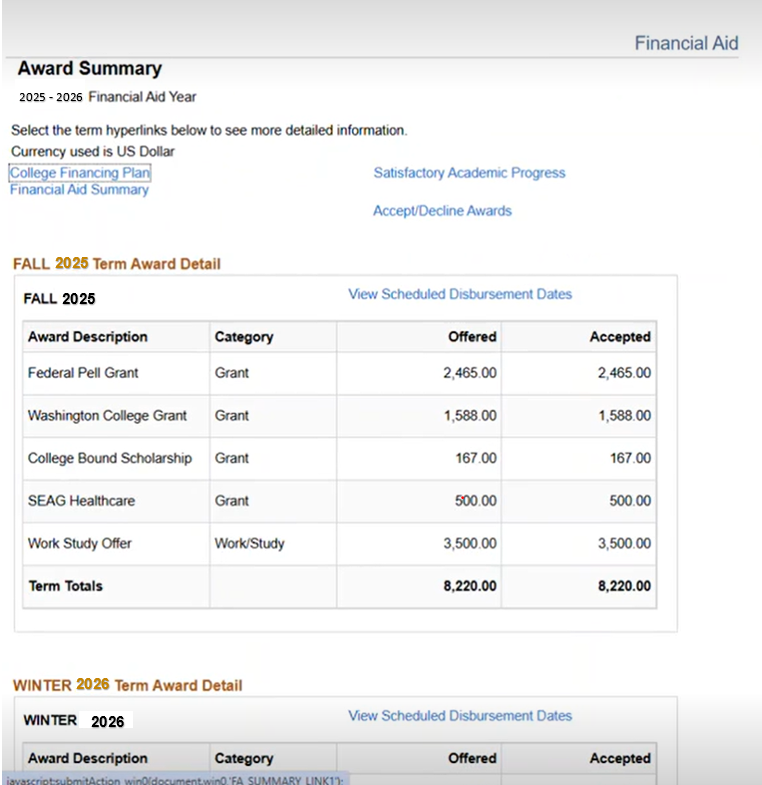
- The Award Summary page will open, where you can review award details for each term within the Aid Year.
Accept / Decline Awards
- Log in to the Bulldog Connection portal using your username and password. If you are a new student and have not yet set up your Bulldog Connection account, please do so at this time. You should have received set up and login instructions by email from the Office of Admissions.
- From the Student Homepage, select the Financial Aid Tile. This will display the Financial Aid search page.
- Select the appropriate Aid Year to view your financial aid information. The Financial Aid Summary page will display.
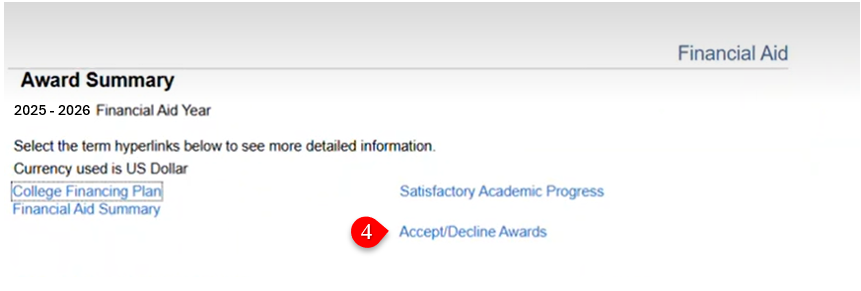
- Click on the Accept/Decline Awards link at the top of the summary page.
- The Award Package page displays.
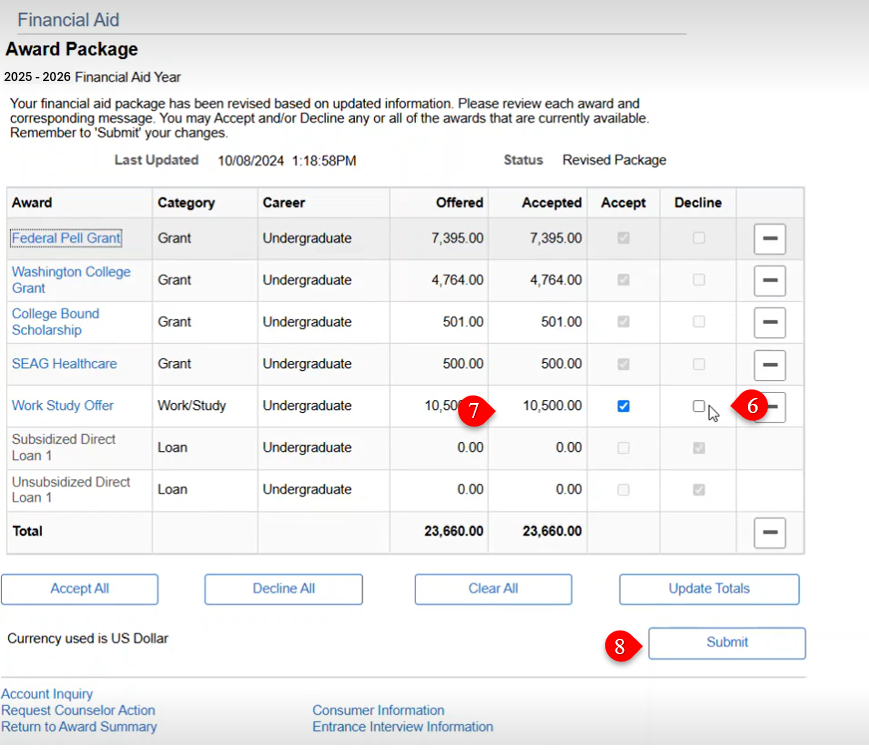
- Review the information. If there are pending offers, check the Accept or Decline box for each Award offered.
- Loan amounts can be adjusted by selecting the Accept box and adjusting the amount in the Accepted column.
- Select Submit to send your information to the Financial Aid Office.